Ready on day one: Talent and IT for new starters
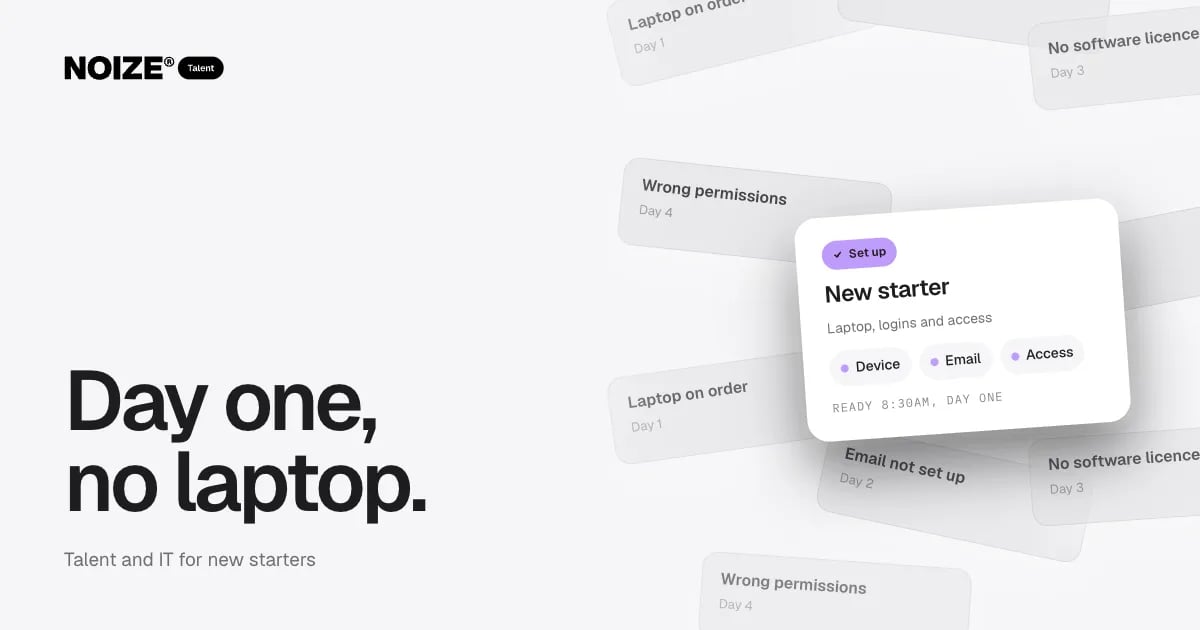
Day one: the laptop is on order. Day two: the email account hasn't been created. Day three: there are no software licences. Day four: the permissions are wrong. Day five: still waiting for access to the shared drive.
New starters wait a week for a laptop. It is one of the most common IT hooks we hear, and it costs more than it seems. The business pays a salary for a week of waiting. The new person's first impression is of a disorganised employer. And the same gaps often appear in reverse when people leave, with accounts left active for months.
The short version
- When Talent and IT run onboarding and offboarding as one process, new starters have a configured device, email, software and access ready on their first morning, and leavers lose access on their last day.
- A simple checklist, triggered as soon as a start date is confirmed, covers device, accounts, licences, permissions, security and training.
- It saves time, protects the business and gives every new person a better start.
The day-one checklist
01Device
A laptop or computer configured, secured and ready, delivered or set up before day one.
02Accounts
Email, Microsoft 365 or Google Workspace, and every system the role needs.
03Licences
Software licences assigned for the tools the role uses.
04Permissions
Access to the right files, folders and systems, and nothing more.
05Security
Multi-factor login set up, password manager access and a short security briefing.
06Phone and communication
Phone, messaging and calendar access configured.
07Training
A short walkthrough of the key systems and where to get help.
Offboarding matters just as much
When people leave, access should end the same day. Email, systems, shared drives, social accounts and building access all need removing or transferring. Devices are returned and wiped. Files are moved to the right owner. Without a process, former staff can retain access for months, which is a real security and privacy risk.
> I've invested in businesses where a former contractor still had admin access to key systems a year after leaving. Nobody had done anything wrong. There was just no offboarding process. It took one checklist to fix, and it should have existed from the start.
“Couldn't recommend these guys enough.”
How Talent and IT work together
At NOIZE, Talent tells IT the moment a start date is confirmed, along with the role and the systems it needs. IT prepares everything in advance. When someone finishes, the same trigger runs in reverse. Whether the person is permanent, fractional, contract or on-demand, the process is the same, which matters because flexible teams come and go more often.
An illustrative example
Imagine a growing firm bringing on three people in a month, a mix of permanent and fractional. With a combined Talent and IT process, each arrives to a configured laptop, working accounts and a short systems induction. They are productive from the first morning. When a contractor finishes two months later, their access is removed that afternoon and their files are handed over.
Mistakes to avoid
- Don't share logins between staff to save licences. It removes accountability and creates risk.
- Don't give everyone access to everything. Permissions should match the role.
- Don't leave offboarding to memory.
Questions to ask about onboarding and offboarding
- How long did our last new starter wait for each piece of IT?
- Who tells IT when someone is starting or leaving, and how far in advance?
- Does every role have a standard list of systems and permissions?
- Are leavers' accounts removed on their last day?
- Where are company devices tracked?
- Who checks that it all happened?
The answers show where the gaps are.
What good looks like
As soon as a start date is confirmed, Talent notifies IT with the role and its systems. A device is configured and accounts are created before day one. Multi-factor login and the password manager are set up in the first hour. When someone leaves, access is removed that day, devices are returned and wiped, and files are transferred. Every step is ticked off on a checklist. It works the same for permanent, fractional and contract people.
The security side
Old accounts are one of the most common security gaps in small businesses. A reliable offboarding process closes them as a matter of routine, which protects customer data and reduces risk without any extra effort once it is in place.
Where to start this week
Ask the last person who joined how long they waited for each piece of IT. Then check whether everyone who left in the past year still has any active account. The answers show where your process needs work. See talent.noize.com.au and it.noize.com.au.
How Talent connects to the rest of NOIZE
No department works in isolation, least of all this one. When those departments work alongside Talent, new people arrive into a working system and deliver sooner, whether they are fractional, part-time, contract or permanent. NOIZE Sales builds the process and playbook a new salesperson walks into. NOIZE Marketing provides the plan a marketer will run. NOIZE IT readies devices, accounts and access before day one, and removes them on the last day. NOIZE Books sets up payroll correctly. NOIZE Strategy clarifies the priorities a fractional leader will own.
Related reading
- The right people, without the full-time hire: fractional roles explained
- Capability now, commitment later
Common questions
What should a new starter IT checklist include?
Device, accounts, licences, permissions, security setup, communication tools and a short systems induction.
How far in advance should IT be told about a new starter?
As soon as the start date is confirmed, ideally at least a week ahead.
What is offboarding?
Removing access, recovering devices and transferring files when someone leaves.
Why is offboarding important?
Former staff with active access are a security and privacy risk.
Do contractors need the same process?
Yes. Flexible team members should follow the same onboarding and offboarding steps.
Can devices be set up remotely?
Yes. Modern device management lets laptops be configured and secured remotely.
Who owns the onboarding checklist?
Talent triggers it and IT delivers it, with a named owner for each new starter.
Can NOIZE manage this for us?
Yes. NOIZE Talent and IT run it as one process.
What happens to a leaver's email?
It is usually converted to a shared mailbox or forwarded for a period, then closed, so nothing is missed.
Can we track company devices?
Yes. Device management tracks laptops and phones and can wipe them remotely if lost.
What should I tell NOIZE Talent first?
The role, the hours and how long you need it.
How does NOIZE Talent find the right person?
We start with the capability, hours and duration you need, then shape the engagement and match people with relevant experience.
Who employs a flexible team member?
It depends on the engagement model. We agree the arrangement with you up front.
Can we try a role before committing?
Yes. Flexible engagements are a practical way to test a role.
What if the person isn't the right fit?
We review early and adjust the engagement or the person, so the role keeps delivering.
Your first strategy conversation is on us.
Have a chatThe brand for business.